On the App Store · Ages 3–12
Learnaroos
The all-in-one learning playground
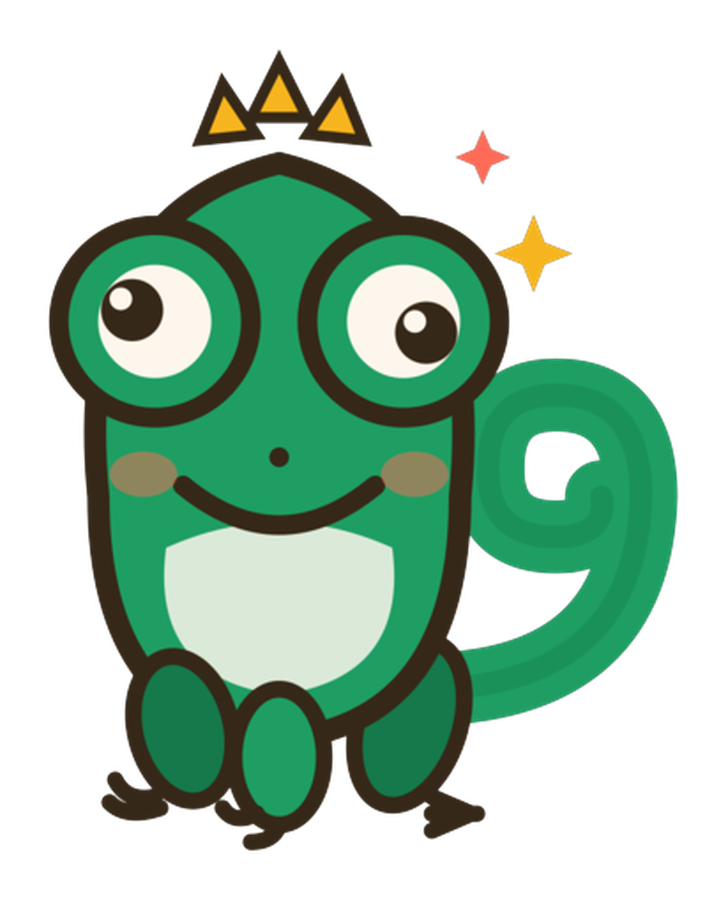
43 fun learning games in one app: tracing, mouse and tap skills, typing, math, memory and logic. Pip the chameleon cheers your child along, stickers fill the sticker book, and a Sunday progress report lands with the parent.
- 43 games across 4 worlds
- 30 minutes of free play every day, all games and levels
- Up to 2 kid profiles, one shared daily pool
- Sticker book, surprise eggs and a streak garden
- Weekly progress report for parents
- No ads, no tracking, works offline
Android and Amazon Fire versions are coming. Ask us to be told when.
Every game, by world
Each game starts gentle and climbs 100 levels. The age tags show where it starts and where it stops being easy.
Mouse Mastery
Ages 3-8 · 12 gamesLearn to click, drag, and control — fine motor & sorting.
- Bubble PopAges 3–6
Pop colorful bubbles as they float up!
- Shape SorterAges 3–6
Match shapes to the right holes
- Block BuilderAges 3–7
Stack blocks to build towers
- Farm FriendsAges 3–6
Drag food to the hungry farm animals
- Dragon ChaseAges 4–8
Help the dragon catch stars
- Paint by NumberAges 4–8
Color by following numbers
- Alphabet TracingAges 3–6
Trace letters with your finger
- Number TracingAges 4–8
Trace numbers with your finger
- Letter PicnicAges 3–8
A for Apple! Tap the picture that starts with the letter
- Truck TrekAges 3–8
Steer the truck with your finger. Catch stars and number balloons!
- Color LabAges 3–7
Squish paint blobs together to mix new colours
- Pattern MatchingAges 4–8
Match patterns
Typing Adventures
Ages 5-12 · 6 gamesBuild keyboard skills one key at a time — letters, keys & spelling.
- Keyboard ExplorerAges 5–10
Learn the keyboard layout
- Typing RaceAges 6–12
Race by typing words fast
- Space TyperAges 6–11
Blast asteroids by typing
- Number NinjaAges 5–9
Type numbers like a ninja
- Keyboard SymphonyAges 5–10
Make music while typing
- Chat ChampionAges 7–12
Practice typing messages
Brain Builders
Ages 5-12 · 11 gamesStrategy and logic puzzles — memory, logic & patterns.
- Memory FlipAges 4–10
Match pairs of cards
- Pattern CreatorAges 5–10
Complete the pattern sequence
- Tic Tac ToeAges 4–12
Classic strategy game
- Number SudokuAges 7–12
Fill the grid with numbers
- Math SnakeAges 5–10
Eat the right answers
- Bridge BuilderAges 5–12
Build bridges with logic
- Simon SaysAges 4–10
Watch, then repeat the color sequence
- Jigsaw PuzzleAges 4–10
Drag pieces into place to solve the puzzle
- Stack TowerAges 3–12
Drop the sliding block and build the tallest tower!
- Robot StepsAges 4–12
Program Pip to the stars: arrows, then loops and until-wall
- Beat BarnAges 3–8
Listen to the farm band, then tap the tune back
Math
Ages 4-12 · 14 gamesMath, science, and more — counting, adding & fractions.
- Pip's Delivery DayAges 3–7
Count the crates from the delivery truck
- Pip's Word MachineAges 4–7
Feed letters in, real words tumble out
- Addition AdventureAges 4–8
Learn to add numbers
- Subtraction SafariAges 4–8
Practice subtraction
- Multiplication MasterAges 6–11
Master times tables
- Division DiscoveryAges 6–11
Learn to divide
- Double TroubleAges 4–9
Practice doubling numbers
- Number CompareAges 4–8
Compare bigger and smaller
- Clock MasterAges 5–9
Learn to tell time
- Fraction FunAges 6–11
Learn about fractions
- Grow GardenAges 3–7
Put the cards in order and watch them come alive
- Pip's Fruit StandAges 5–9
Drag coins to pay the exact price, then give change
- Sight Word HunterAges 5–8
Hear the word, spot it on a floating card
- Math MergeAges 5–12
Slide tiles, equal numbers add up: a 2048-style adder
Questions about Learnaroos
Can two children share one app?
Yes. Each app has two kid profiles with their own progress and sticker book. On the free plan the 30 minutes are one pool shared between them; Pro removes the cap for both.
Is it safe for small children?
There are no ads, no chat, no tracking and no links or purchases outside a parent gate. Profiles and progress stay on your device and never reach a server. The apps follow Apple's Kids Category rules and COPPA.
Is it on Android?
Not yet. The Learnaroos app is on the App Store today; Google Play and Amazon Fire versions are being built. Say hello on the contact page and we will email you when they land.
Can parents see what their child learned?
Yes, and it is free. The Activity Report in the app shows days played, minutes, games, accuracy and favourites per child, and a short progress summary arrives as a notification every Sunday afternoon.